Why a unit shows (or doesn't)
Units come from your PMS feed. Re-sync when a unit looks wrong, and hide units you want off the site.
Your units, pricing, and availability come straight from your leasing feed (your PMS), not from manual edits. A unit shows on your site when its feed says it's available or coming available soon.
If a unit looks wrong or missing, re-sync
If a unit isn't showing when you expect it - or its pricing looks out of date - the fix is almost always to re-sync the connection, which pulls the latest data from your PMS:
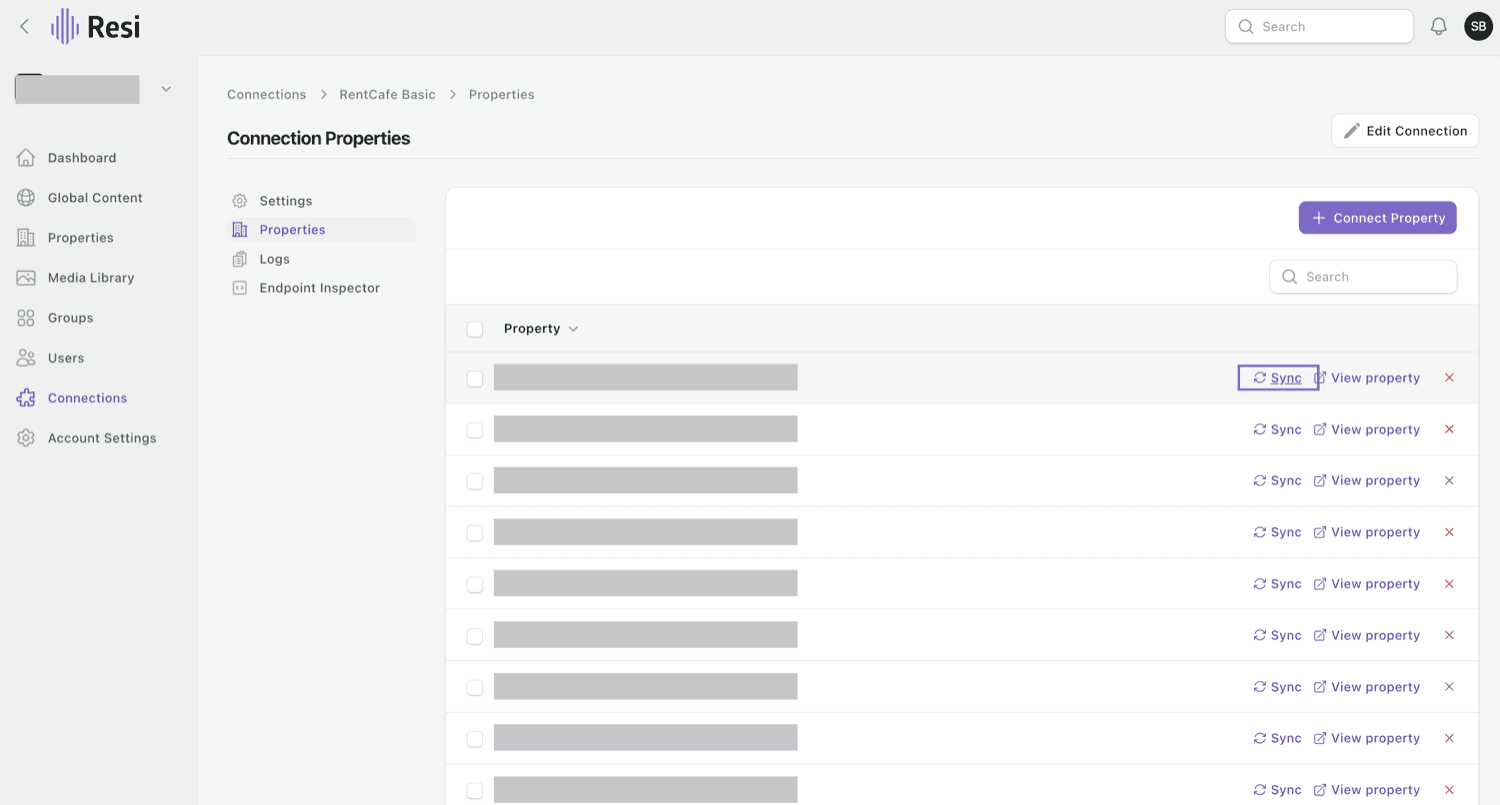
- Go to Connections and open your PMS connection (for example RentCafe, Yardi, or Entrata).
- Open Properties and find your property.
- Click Sync on that row. Resi pulls fresh data and updates your site.
Still not right after syncing?
A unit's available date in your PMS is what drives it - if that date is missing or in the future, the unit won't show yet. Check it in your PMS, or reach out to support (see Getting support).
Keeping a unit off the site
Occasionally you may want to hide a unit even though the feed would show it. On the unit, the Hidden toggle keeps it off the website, and Model marks it as a model or tour unit rather than a rentable listing.
Last updated on